
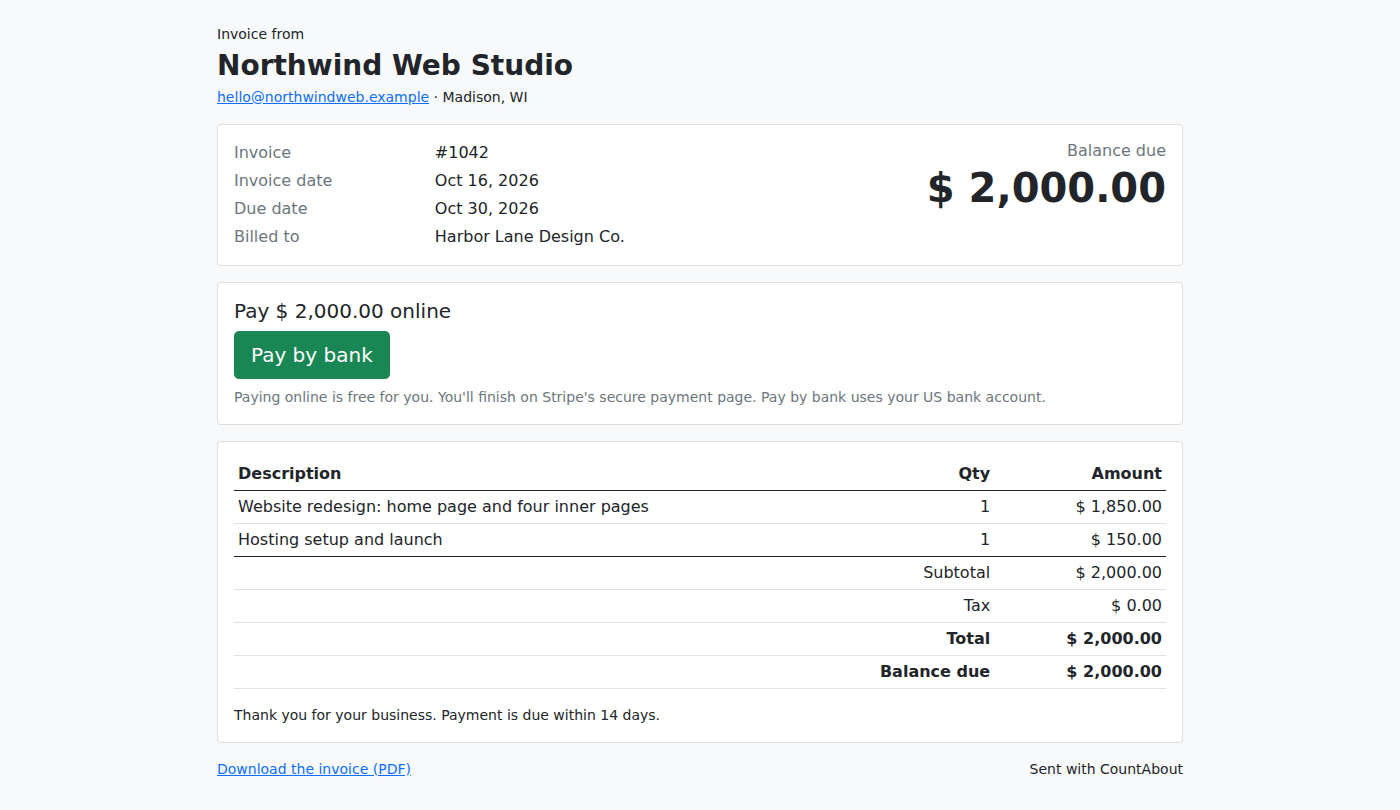
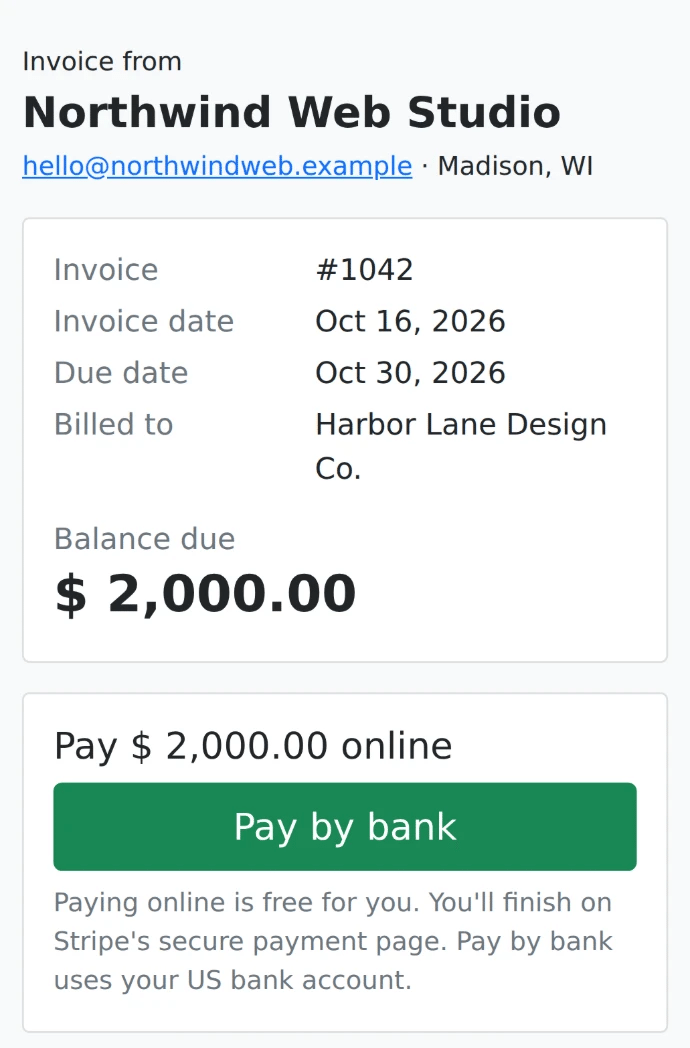
Starting this week, your clients can pay CountAbout invoices online. Every invoice you email from CountAbout now includes a View and pay online button. Your client clicks it, sees the invoice on a web page, and pays by bank account or by card. There is no account to create and nothing to install. When the money arrives, CountAbout marks the invoice paid and records the payment and the processing fee in your books for you.
Why we built it
CountAbout’s invoicing add-on has always been built around one idea: the invoice and the books are one system. When you create an invoice, accounts receivable and the income category are recorded. When you record a deposit, the bank account updates. Online payments close the last gap. Until now, getting paid meant waiting for a check or a transfer and then recording it by hand. Now the payment records itself.
It also keeps CountAbout what it has always been for freelancers, consultants, contractors, landlords and side businesses: a simple, low-cost alternative to QuickBooks and Quicken. Invoicing with online payments is still $10 a year on top of any CountAbout plan. There are no per-invoice fees and no per-client limits, and payment processing is at Stripe’s own rates with nothing added by CountAbout.
How online payments work
- Connect Stripe. Open the Invoices tab, click Online Payments, and connect a Stripe account. Setup takes a few minutes, and the money goes straight to your bank.
- Email an invoice. Create the invoice as usual and email it from CountAbout. The PDF is attached, and the email now includes a View and pay online button.
- Your client pays. They pay by bank account (ACH). If you switch cards on for that client, they can pay by card too. There is no login and nothing to install.
- Your books update. CountAbout marks the invoice paid and records the payment and the processing fee automatically.
What it costs
Invoicing is a $10-a-year add-on to any CountAbout subscription, and every new account can try it free for 15 days from the Invoices tab, no card needed. Online payments don’t cost extra. You pay only Stripe’s processing fees, and CountAbout adds nothing on top:
| Payment method | Fee per payment |
|---|---|
| Bank account (ACH) | The first 10 bank payments each calendar month are free. After that, 0.8% per payment, capped at $5.00. |
| Card | 2.9% + $0.30 on every card payment. The 10 free payments a month apply to bank payments only. |
The fee comes out of what you receive. Your client always pays the invoice amount. Online payments are in US dollars only for now; invoicing itself works in any currency CountAbout supports.
Everything else the invoicing add-on does
- Unlimited clients, each with an address and several contacts.
- More than one business, each invoicing under its own name and address.
- Line items with a description, quantity and unit price, optional sales tax, notes, invoice number, invoice date and due date. Each line is tied to a CountAbout category.
- PDF invoices with your business name as the heading, emailed to the client from the app.
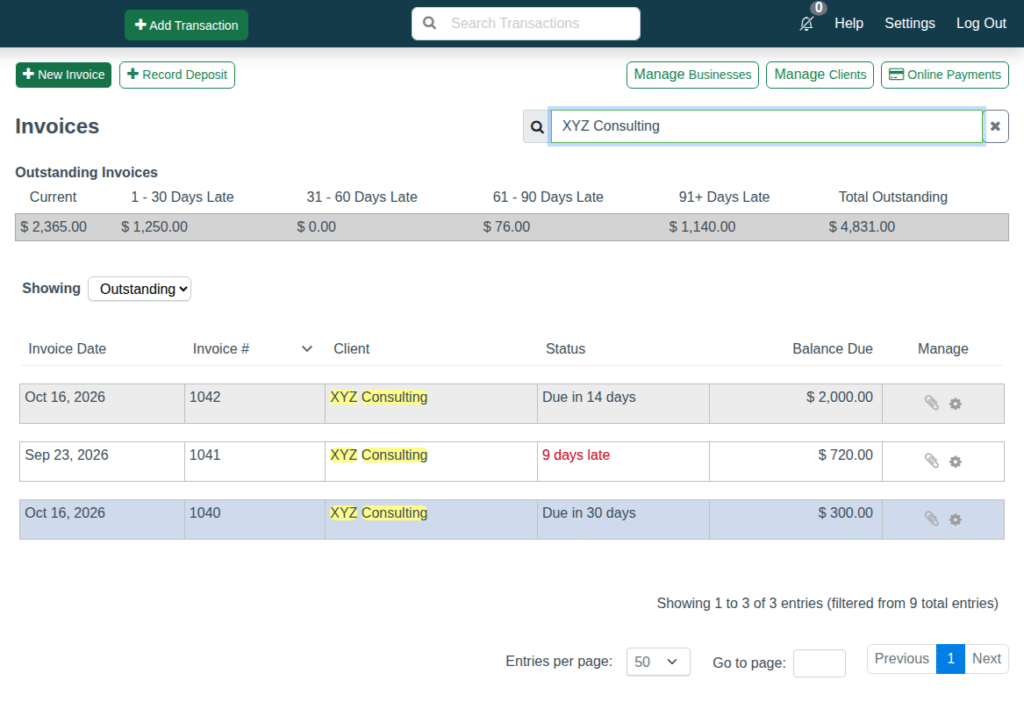
- An invoice list that shows what is outstanding and paid, and how many days late an overdue invoice is.
- Deposits, partial payments, payments in full and credits, recorded against the invoice with the accounting done automatically.
- Invoice history for every client.
How to get started
Already using CountAbout? Open the Invoices tab, start your free 15-day invoicing trial, and connect Stripe under Online Payments. Your next invoice email will include the View and pay online button.
New to CountAbout? Start a free 45-day trial, then turn on invoicing from the Invoices tab. See the invoicing page for the full feature list, a sample invoice and FAQs, or compare plans and pricing.